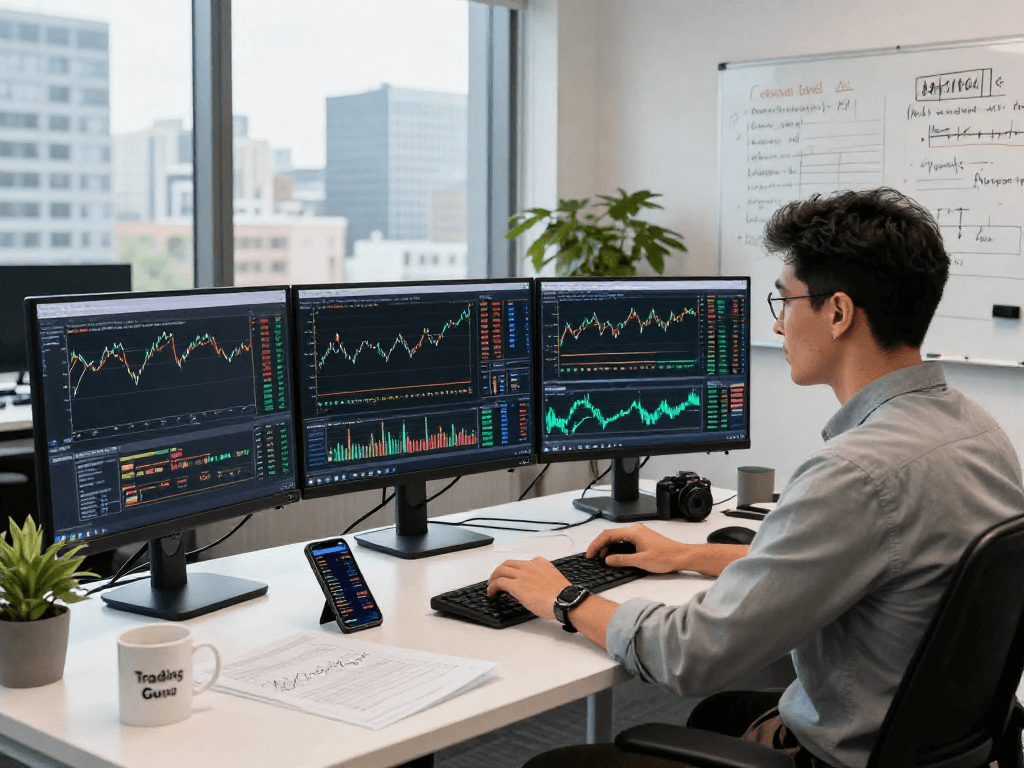
Understanding TradingView: A Comprehensive Overview
In the fast-paced world of trading, having access to reliable data and advanced analytical tools is crucial. TradingView meets this need by offering a comprehensive platform that combines multi-market data, sophisticated charting capabilities, and customizable alerts. As traders search for a competitive edge, TradingView stands out by providing a user-friendly interface that caters to both novice and experienced traders alike.
What is TradingView?
TradingView is a social network for traders and investors, allowing them to share ideas and strategies while providing real-time market data. The platform is known for its cutting-edge charting tools, which allow users to visualize data over various time frames and apply technical indicators seamlessly.
With access to a plethora of global financial markets—including stocks, forex, and cryptocurrencies—TradingView enables users to make informed trading decisions based on actionable insights. The platform's cloud-based nature ensures that users can access their analyses anytime, anywhere, without being tied to a specific device.
Key Features of TradingView
- Advanced Charting Tools: TradingView offers an array of customizable charts and indicators that cater to traders' varying needs. Users can overlay multiple indicators, draw trend lines, and apply Fibonacci retracements with ease.
- Alerts and Notifications: Users can set alerts based on price levels or technical conditions, which can significantly reduce the time spent monitoring the markets. This feature allows traders to focus on their strategies without constantly watching price movements.
- Market Data and Analysis: Access to extensive financial data and market analysis tools enables users to identify opportunities and manage risks effectively.
- Multi-Device Access: Whether using a desktop, tablet, or smartphone, TradingView allows for seamless transitions across devices, ensuring users can stay updated wherever they are.
Why Choose TradingView Over Competitors?
Although several trading platforms exist, TradingView distinguishes itself through its community-driven approach and superior charting capabilities. The platform supports a vibrant community of traders sharing insights and strategies, fostering a collaborative environment that enhances learning and growth.
Furthermore, TradingView's charting tools are often considered the best in the industry, offering more features than many competitors without sacrificing ease of use. The ability to backtest trading strategies using historical data is a unique offering that makes TradingView invaluable for serious traders.
Chart Analysis: Harnessing the Power of TradingView
How to Use TradingView for Technical Analysis
Technical analysis is a cornerstone of trading, and TradingView equips users with powerful tools to analyze price movements and identify trends. By utilizing various chart types—such as candlestick, line, and bar charts—traders can gain insights into market behavior and make informed decisions.
Additionally, TradingView offers a diverse selection of technical indicators like moving averages, RSI, and MACD, enabling users to analyze potential buy and sell signals effectively. With the platform’s flexible interface, traders can customize charts to suit their individual trading strategies.
Setting Up and Customizing Your Trading Charts
Customizing charts in TradingView is straightforward, allowing users to create a layout that fits their trading style. Users can adjust time frames, change chart types, and add or remove indicators effortlessly. This personalization enhances the trading experience and helps traders focus on what truly matters for their strategies.
Furthermore, TradingView supports multi-chart layouts, allowing users to monitor multiple assets or time frames simultaneously. This feature is particularly beneficial for high-frequency traders who require in-depth analysis across various instruments.
Common Chart Patterns and Indicators
Traders often rely on established chart patterns and technical indicators to forecast market movements. Patterns such as head and shoulders, flags, and triangles can indicate potential reversals or continuations. Moreover, popular indicators like Bollinger Bands and the Average True Range (ATR) are essential for assessing volatility and potential breakout scenarios.
Utilizing these patterns and indicators effectively can provide traders with a significant edge in understanding market dynamics and making informed decisions based on data-driven insights.
Alerts and Notifications: Maximizing Your Trading Efficiency
Setting Up Price Alerts in TradingView
One of the standout features of TradingView is its comprehensive alert system. Users can set up price alerts on specific assets, receiving notifications when prices hit predetermined levels. This feature allows traders to act swiftly without needing to monitor charts constantly.
Setting alerts is user-friendly; traders can choose to receive notifications via email, SMS, or directly through the TradingView app. This flexibility ensures that alerts are received in a manner that best suits each trader’s workflow.
Understanding Different Types of Alerts
TradingView supports various alert types, including price alerts, technical alerts, and custom alerts based on specific conditions. By leveraging these alerts, traders can stay informed about significant market movements or changes without constantly monitoring price charts.
- Price Alerts: Triggered when the price of an asset reaches a set level.
- Technical Alerts: Based on specific technical indicators or conditions, such as RSI crossing a particular threshold.
- Custom Alerts: Allow users to create alerts based on complex conditions defined by the user.
Best Practices for Managing Alerts Effectively
To maximize the efficacy of alerts, traders should review and adjust their settings regularly. Avoiding alert fatigue—where too many notifications lead to missed opportunities—requires careful consideration of which alerts are truly valuable. Setting parameters that reflect personal trading goals can streamline focus and improve decision-making.
Cross-Device Usage: TradingView on Any Platform
How to Access TradingView via Different Devices
TradingView is designed for flexibility, allowing users to access their trading tools and analyses across various devices. Whether on a mobile phone, tablet, or desktop, the platform maintains functionality and performance quality.
To access TradingView on a mobile device, simply download the application from the iOS App Store or Google Play Store. The mobile app is optimized for smaller screens yet provides nearly all the features available in the desktop version, ensuring users can trade effectively on the go.
Synchronizing Settings Across Platforms
One of the highlights of TradingView is the ability to synchronize settings across devices. Traders can log in to their accounts from any device and find their customized settings, chart layouts, and alerts ready for use. This synchronization facilitates a seamless trading experience, regardless of the device in use.
Optimizing Your Trading Experience on Mobile
When trading on mobile, it’s essential to optimize your layout for easy navigation. TradingView’s mobile application allows users to customize their dashboards, making frequently accessed features readily available. Moreover, ensuring that device notifications are enabled ensures you don't miss crucial updates from your alerts.
TradingView Pricing Plans: What You Need to Know
Overview of Free vs Paid Plans
TradingView offers several pricing tiers to accommodate different levels of trading needs. The free plan provides access to essential features and limited indicators, making it suitable for casual traders or those just getting started. However, as traders become more serious, upgrading to a paid plan can unlock advanced charting features and additional technical indicators.
Assessing Value: Is TradingView Worth It?
For active traders and professionals, the advanced features and functionalities available in premium plans can significantly enhance trading performance. The ability to access more indicators, advanced charting tools, and priority support can justify the investment for serious market participants.
Future Pricing Trends and Considerations for 2026
As market dynamics evolve, TradingView may adjust its pricing structures to remain competitive. Traders should stay informed about potential changes and evaluate whether the features offered align with their trading activities and objectives. Regularly reviewing pricing plans against personal trading requirements ensures users can optimize their investments in trading tools.
What Makes TradingView Suitable for Different Users?
TradingView’s versatility makes it suitable for a wide range of users, from beginners looking to learn trading fundamentals to seasoned professionals engaged in high-frequency trading. Its comprehensive charting tools, social features, and market analysis capabilities appeal to those at every experience level.
Frequently Asked Questions About TradingView
How is TradingView Different from Other Platforms?
TradingView distinguishes itself through its user-friendly interface, extensive community support, and superior charting capabilities. Many trading platforms focus solely on executing trades, while TradingView emphasizes analytical tools and social interactions among traders.
Can I Use TradingView for Forex, Stocks, and Crypto?
Absolutely! TradingView supports a variety of asset classes, including forex, stocks, cryptocurrencies, and commodities. This multi-asset support allows traders to analyze and trade across different markets from a single platform.
Do I Need the Desktop Version for Advanced Features?
While many features are available through the web and mobile versions, using the desktop application can enhance the experience, especially for active traders requiring multiple screens or extended charting capabilities. However, most essential functions are accessible across all platforms.
What Are the Best Practices for New Users?
New users should focus on familiarizing themselves with the basic functionalities of TradingView. Utilizing tutorials, engaging with the community, and practicing with paper trading can help build confidence before committing real capital.
How to Build a Trading Community Using TradingView?
Engaging with other traders through TradingView's social features is an excellent way to build a community. Users can follow other traders, share ideas, and participate in discussions, creating a collaborative environment conducive to learning and growth.